Showing posts with label Reports. Show all posts

Saturday, 30 May 2026

Support for Generative AI Narrative Summaries: NRCS GenAI functions available in Reports now

Support for Generative AI Narrative Summaries

Reports now supports the three Generative AI (GenAI) Narrative Summaries that were previously available only in Narrative Reporting:
  • Describe
  • Compare
  • Causality
Reports now allow users to define Conditional Text using the AutoTextSummary function, create an Auto Text Summary Criteria Definition, and utilize Machine Learning (ML) template files.

Currently, Notes summarization is not supported because Notes are not available in Reports/Platform.

Applies to: 
FCCS, TRCS, NRCS, Planning, Enterprise Profitability and Cost Management, and FreeForm

Business Benefit:
Generative AI Narrative Summaries help you quickly understand report insights by automatically generating descriptive, comparative, and causal narratives, improving reporting efficiency.

Thank you!

Sunday, 15 June 2025

Dimension Hierarchy for Descendants in Report and Book Prompts

From 25.06 release, while creating prompts for the Descendants and Descendants (Inclusive) single member selection functions, the choice list will now be displayed in a tree format, instead of a flat list. 

However, the Children and Bottom functions will continue to be shown as a flat list, with the parent member listed at the top. If multiple functions and/or members are selected from the choice list, they are always displayed as a flat list.

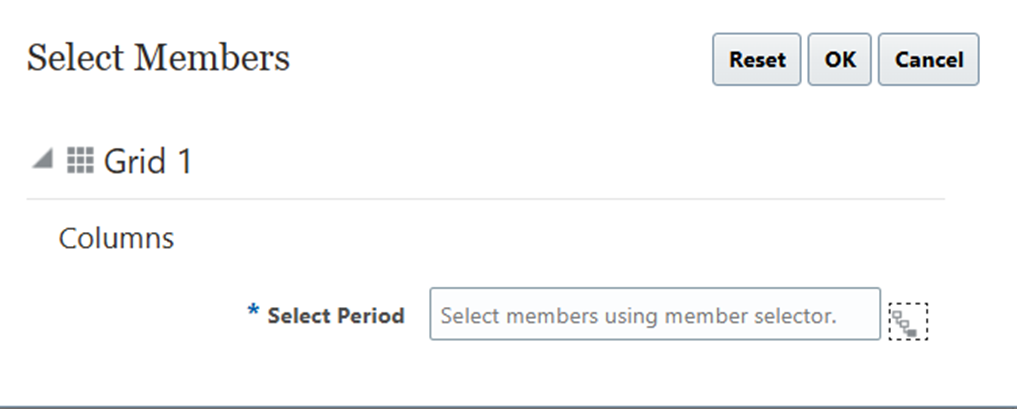
For example, as per business requirement, a prompt has been created for Period with choice list of Descendant (inclusive) function -


Below screen shots show how choice list will display after 25.06 release -

Before 25.06 release -


After 25.06 release -  

Applies to

  • Enterprise Profitability and Cost Management
  • Financial Consolidation and Close
  • FreeForm and Planning
  • Tax Reporting

Business Benefit

The hierarchical choice list makes it easier to navigate through a large number of members at different levels.

Date - Jun 15, 2025

Tuesday, 20 May 2025

How to use multiple prompts for same dimension in Management Reporting

Requirement 

Like the Financial Reporting (FR), Management Report and Platform Reports do not support the multiple prompts selection for same dimension in grid. In a business scenario where we need to have multiple prompts for same dimension, it can be achieved using "Save selection" option. In below steps, we will discuss how can we use "save selection" option to meet the requirement of multiple prompts selection for same dimension.

For this demonstration, we will create the save selection for Period dimension.

1. Go to Grid -> open the window of Member Selection for Period dimension. click on "fx" and select the "View All Functions".


 2. Choose the Prompt and select the Prompt Label, Choice List and other options. Click on OK.

 3. As shown in below screen shot, click setting button and click on "Save Selection". 

 4. As shown in below screen, provide a name to save selection and click on OK.

 5. Click on OK. This save selection can be used in places within same grid.

 6. Go to another cell where we need to select prompt for period dimension again. As shown in below screen shot, from drop down select the "Save Selections".


 7. It will list down all the saved selections. choose the save selection for period which we created in above steps.


 This way, we can meet the requirement of multiple prompt for same dimension in a grid.


 Created by Mohit Jain and Megha Gupta

Ability to Create and Manage External Users

Service Administrators can now use the Manage Users tab under Access Control to create, edit, and delete external users (users who are not p...